
Due to the phasing out of the penny, enabling this feature causes Paladin to automatically apply a coupon to reduce the total invoice amount of cash payment type invoices to whole nickel increments. This method ensures a customer doesn’t need change in pennies and sales tax calculations are correct on modified invoice totals. Stores can easily monitor the financial impact of this feature by viewing the revenue block of the comparative revenue report and reviewing the revenue type “Pennies.”
This article provides information and instruction on the following:
Feature setup
To set up this feature:
- In Paladin, from the main menu, select File > Setup.
- Select the Invoice (Store) tab.
- At the bottom of the pane, check Round Down Invoice to the Nearest Nickel on Cash Transactions.
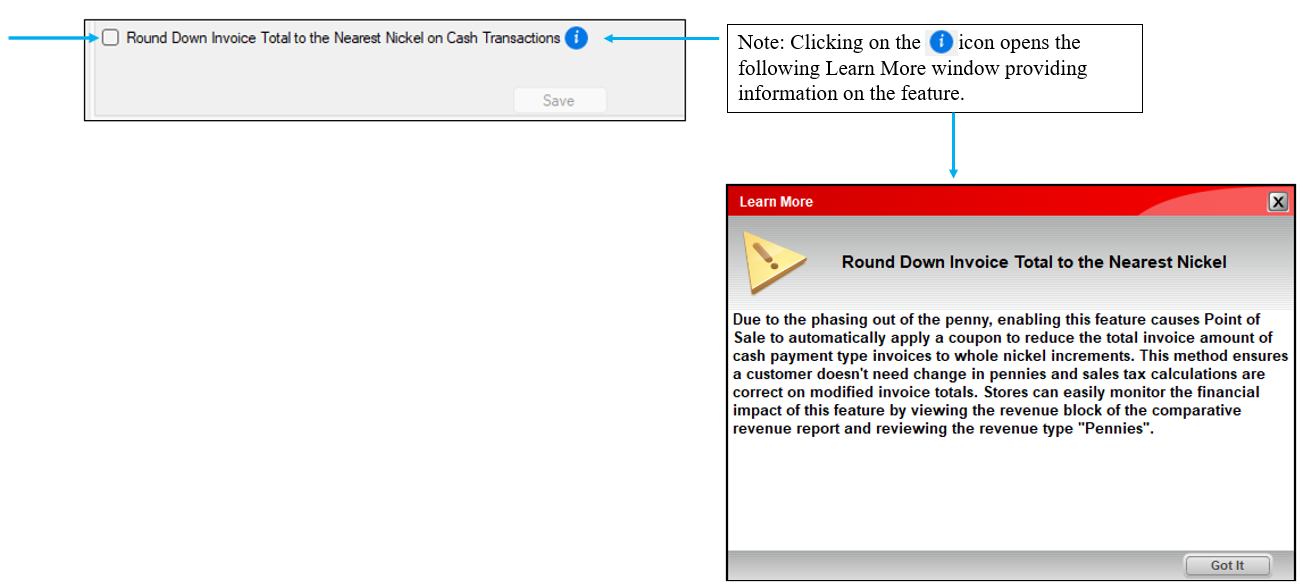
Figure 1: Round Down Invoice to the Nearest Nickel on Cash Transactions flow
In Paladin’s Invoice/Quote module, finalizing a cash sale applies a store coupon rounding down to the nearest nickel value. This includes any taxes applied.
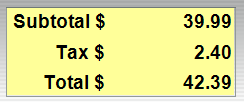
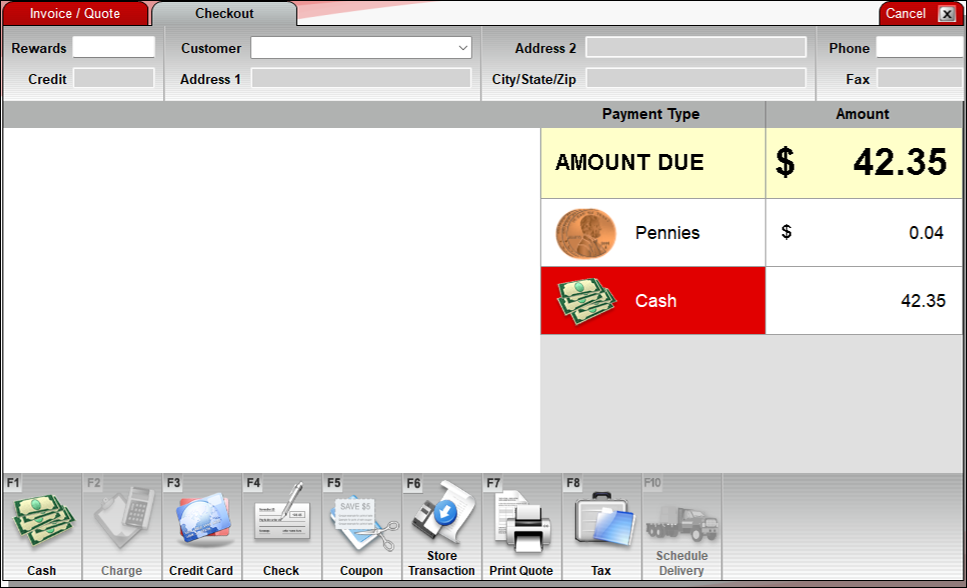
Figure 2: Rounding to nearest nickel on a sale
Processing returns
The following scenario depicts the process for returns on cash sales. As per Paladin’s philosophy/protocol, rounded cost or rounded return are always in favor of the customer.
The customer had made a cash purchase as follows:
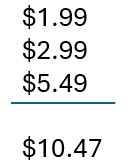
With Round Down to Nearest Nickel, the customer was charged $10.45, and the store absorbed the $0.02 so that the rounded purchase cost is in favor of the customer.
If the customer decides to return all items of the purchase their return will be $10.50, with the store absorbing the $0.03 so that the rounded return cost is in favor of the customer.
Important: This scenario is a basic return (other scenarios can be more complicated), but what is shown is, whether Paladin needs to round up or down, the rounded cost or rounded return are always in favor of the customer.
Invoice and reports
The rounding function is reflected on:
Invoices
On invoices, the rounding is stated as a coupon and shows the amount as pennies.
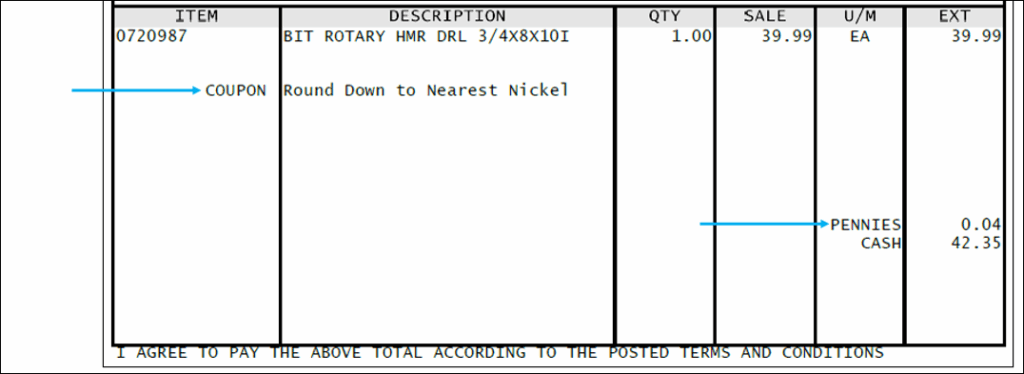
Figure 3: Invoice with Round Down to Nearest Nickel
Transaction Report
The Transaction Report states the function and shows the amount as pennies.
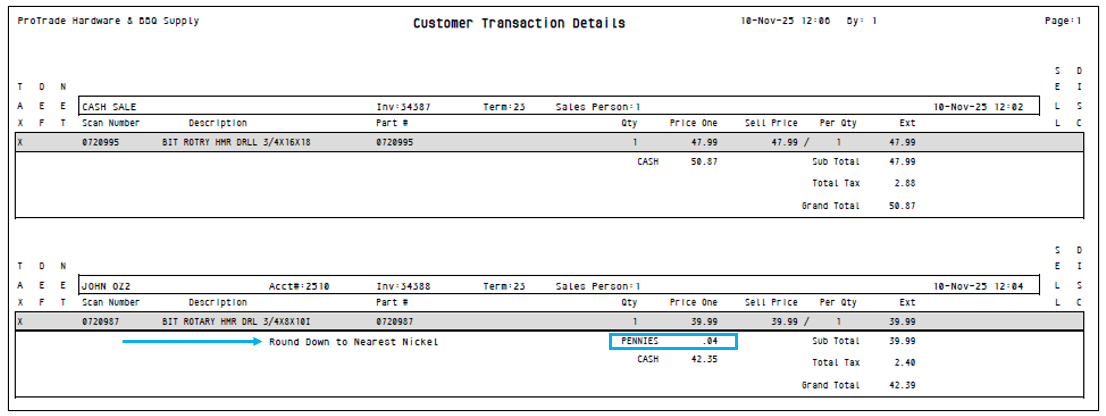
Figure 4: Customer Transaction Report with Round Down to Nearest Nickel
Comparative Revenue Report
The Comparative Revenue Report shows the amount as pennies.

Figure 5: Comparative Revenue Report with Round Down to Nearest Nickel
GL Summary Report
The GL Summary Report shows the function as a coupon redeemed.
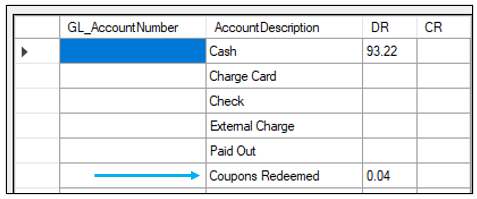
Figure 6: GL Summary Report with Coupons Redeemed
If you have questions or suggestions about this information, contact support@paladinpos.com.
