
When clients perform large-scale inventory cleanup projects requiring frequent edits to inventory records, if a part is accidentally closed without first being saved, all changes are lost. Because of the volume of inventory being updated, clients often do not realize the changes were not saved until days or weeks later, requiring the work to be repeated and reducing confidence in inventory accuracy.
The Save Changes Confirmation feature is an optional confirmation dialog, when enabled, closing a part with unsaved changes in the Inventory module prompts the user with the message Save Updates to Inventory Information? before the record is closed.
To enable this feature:
- In Paladin, from the main menu, select File > Setup.
- Select the Company tab.
- At the bottom of the Inventory pane, check Enable Unsaved Changes Warning.
- Click Save, then click Close.

Figure 1: Enable Unsaved Changes Warning
When closing the Inventory module, if any changes are not saved, the Inventory Update Incomplete window opens stating Unsaved Changes Present and asking Save Updates to Inventory Information?
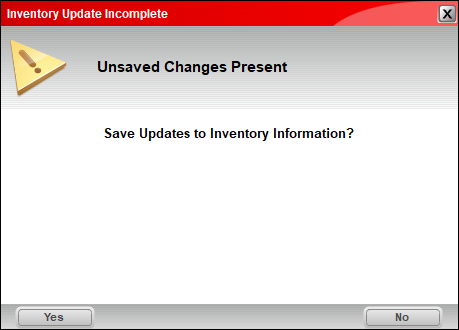
Figure 2: Inventory Update Incomplete window
- To save updates/changes, press Yes.
If you have questions or suggestions about this information, contact support@paladinpos.com.