
The following is the file path for setup and reference guides: H:\Squads\Squad1\BARCODE SCANNERS\GBT_GM4600 –
Setting Up the System
Note: If setting up corded model skip steps 1 and 2.
- Connect the Cable to the base station and the Host (scanner).
- Connect the Power Supply to the cradle (Optional).
- Select the interface.
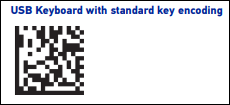
Figure 1: USB Keyboard interface
Note: Figure 1 shows the standard setting, other options available shown in Figure 2 below.
- Configure the Reader (optional, as needed. See product Reference Guide for further details).
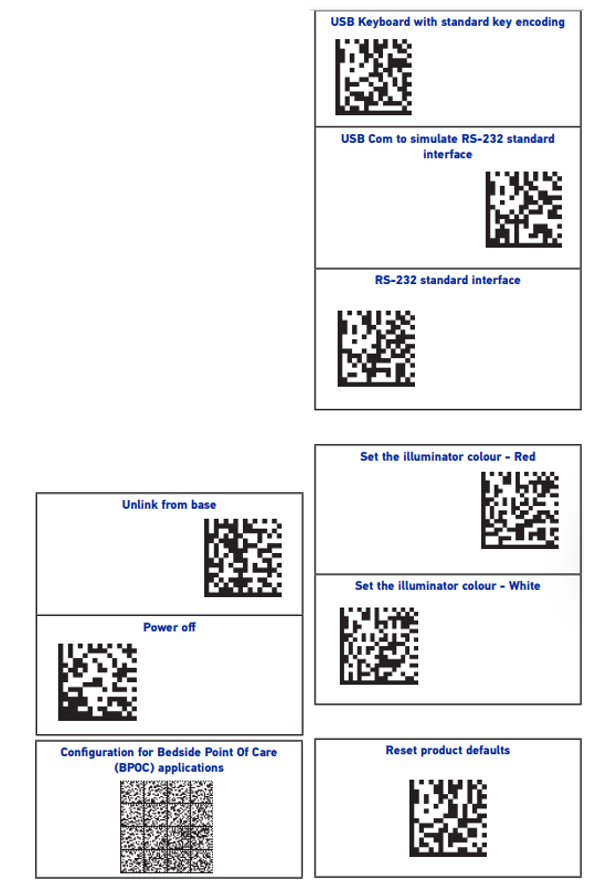
Figure 2: Interface and Reader options
If you have questions or suggestions about this information, contact support@paladinpos.com.
*Content is subject to change. For the most recent version, visit the Help Portal.
Printed on: 9/28/26