
A project has been initiated to generate Ace Rewards IDs automatically at POS to support a Paperless Signup process for loyalty. This enhancement will launch in January of 2026 while retaining the existing paper application enrollment functionality. However, in January of 2027 paper applications will be phased out, and enrollment will only be available through APIs.
Ace currently has a CustomerCreate API in production, which they use to provide customer numbers to online Ace Rewards signups. This project will interact with that API in the Ace Rewards POS dialogue to pull Ace Rewards IDs for new customers.
Process
- In Paladin’s Invoice/Quote module, the Ace Rewards window opens by default.
- Cashier asks customer for their phone number for Ace Rewards and enters the number in the Rewards ID or Phone Number box.
-
- If the phone number results in a customer match, an Ace Rewards ID has already been set.
- If the phone number does NOT result in a customer match, the cashier enters the customer’s phone number and presses 2 – Sign-Up.
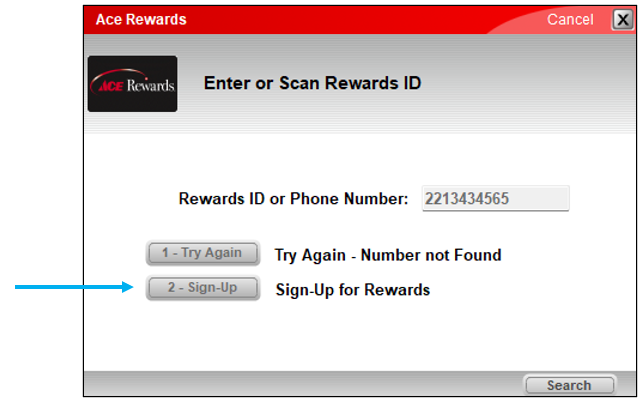
Figure 1: Ace Rewards window/Enter or Scan Rewards ID
The Ace Rewards New Member Sign-Up widow opens. Clicking on the  icon opens a Learn More window with a concise description of how the paperless rewards get set.
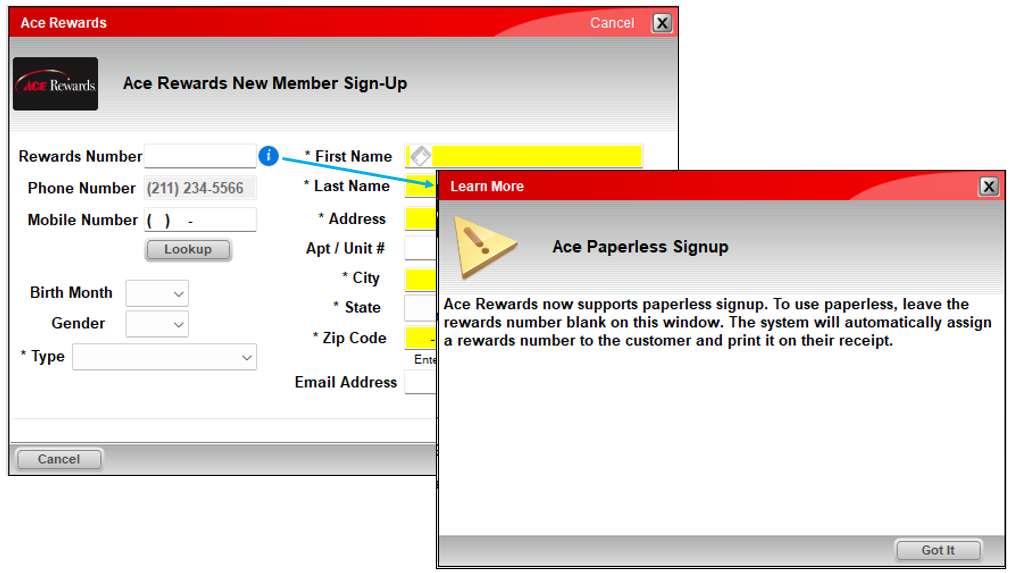
Figure 2: Learn More window
- The cashier completes required fields (required fields denoted with * and/or yellow shaded).
Important: The Reward Number box is, and should remain, blank.
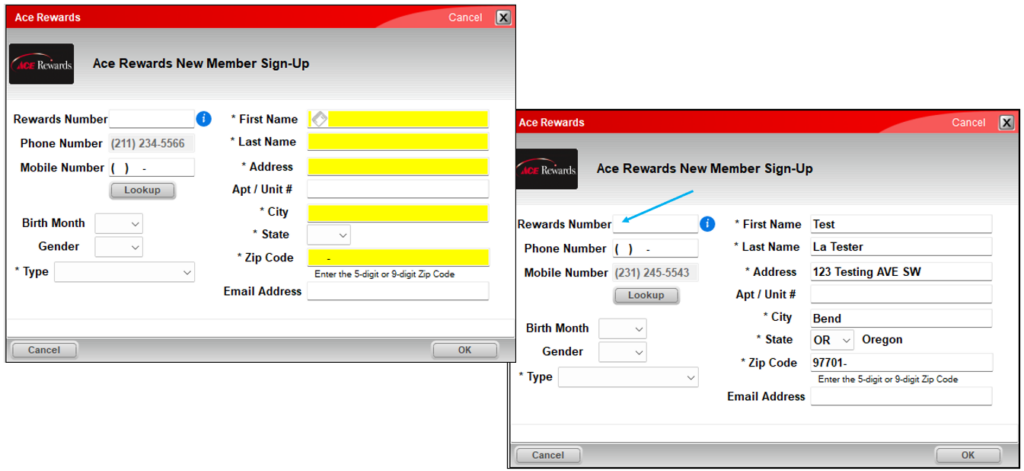
Figure 3: Ace Rewards window/Ace Rewards New Member Sign-Up
- Cashier clicks OK.
The new rewards number auto-populates in the Rewards box of the module.

Figure 4: Rewards number in Invoice/Quote module
Note: Moving forward, the customer’s Rewards number will appear on invoice/receipts.
If you have questions or suggestions about this information, contact support@paladinpos.com.