
The Link/2500 LE credit card device has settings that control screen backlight levels, backlight timeout, and device sleep/auto-shutdown settings.
To apply settings:
- On the Link/2500 LE device, press 2634 to open the menu, then confirm by pressing the F key.
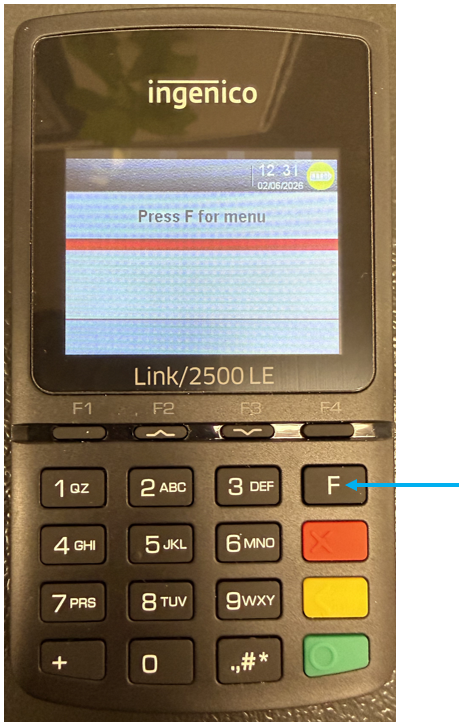
Figure 1: Link/2500 LE menu
- In the menu, scroll down using the F2 and F3 keys until you see Control Panel. Select this.
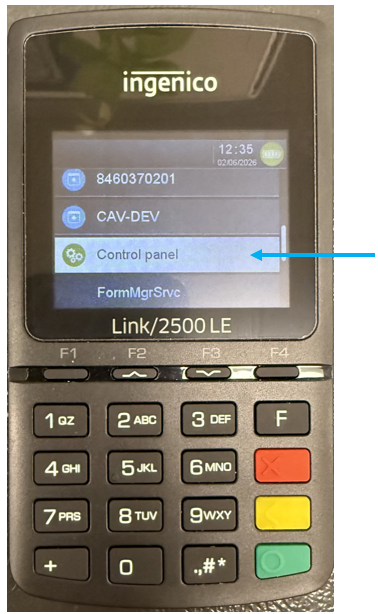
Figure 2: Control panel
- In the Control panel, scroll down to Terminal settings. Select this.
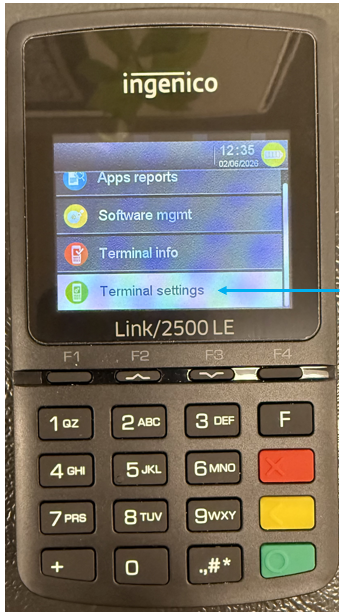
Figure 3: Terminal settings
- Select ECO mode.
In this mode, users can adjust settings, such as screen backlight levels, backlight timeout, and device sleep/auto-shutdown settings.
Note: Increasing these timeout settings can lead to lower battery life as well as overall increased battery lifespan degradation over time.
If you have questions or suggestions about this information, contact support@paladinpos.com.
*Content is subject to change. For the most recent version, visit the Help Portal.
Printed on: 10/10/26