
This PaladinGo™ Launchpad article is a “Home” page for accessing the PaladinGo™ Setup article and the seven modules in PaladinGo.
Important: The PaladinGo™ Setup module must be reviewed and setup applied prior to accessing any of the seven modules.
PaladinGo™ takes point of service functionality from terminal to tablet anywhere an intranet/Internet connection is available – in-store or out in the field.
PaladinGo complements your store’s Paladin Point of Sale and system for line-busting and remote location transactions. Its capabilities includes payment processing through Blockchyp, access to customer and inventory information, and the ability to apply quantity price breaks, rewards to transactions, and building quotes and special orders. PaladinGo supports both manual entry and barcode scanning using the device’s camera or a Memor device.
To enable PaladinGo, contact Paladin Customer support to pair it with your active Paladin Point of Sale system.
Important: The screen captures (Figures) in all PaladinGo articles (KBAs) represent how the modules appear on Android devices. With this, modules and their attributes will appear slightly different on iOS devices, but the functionality is identical. Please follow the written instructions in the KBAs as they are the same for both platforms.
The eight modules in PaladinGo are as follows:
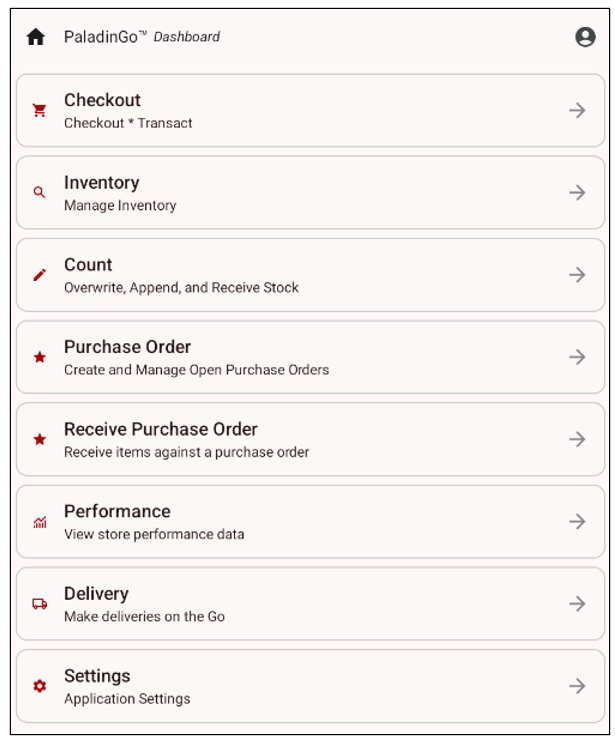
Figure 1: PaladinGo™ Dashboard module
If you have questions or suggestions about this information, contact support@paladinpos.com.
